
GAKKEY LAB

Quick Actions

Want to add color to folders?

A Quick Action made with Automator. It applies colored folder icons to folders selected in Finder. macOS Tahoe brings folder colors back as a system feature, but that only applies to Tahoe. This Quick Action changes the folder icon itself, so colored folders can still appear on other macOS versions.

Color Folder Quick Actions

Ver2024.7.28.1

Fixed mismatched display names in the context menu.

Download ZIP

Install

Installation and usage.

1

Put “Color Folders” into Pictures.

Place the “Color Folders” folder inside your user Pictures folder. The Quick Actions refer to the icon files and helper tool in this folder.

Do not rename or move it after installation. The Quick Actions will not work correctly if the folder path changes.
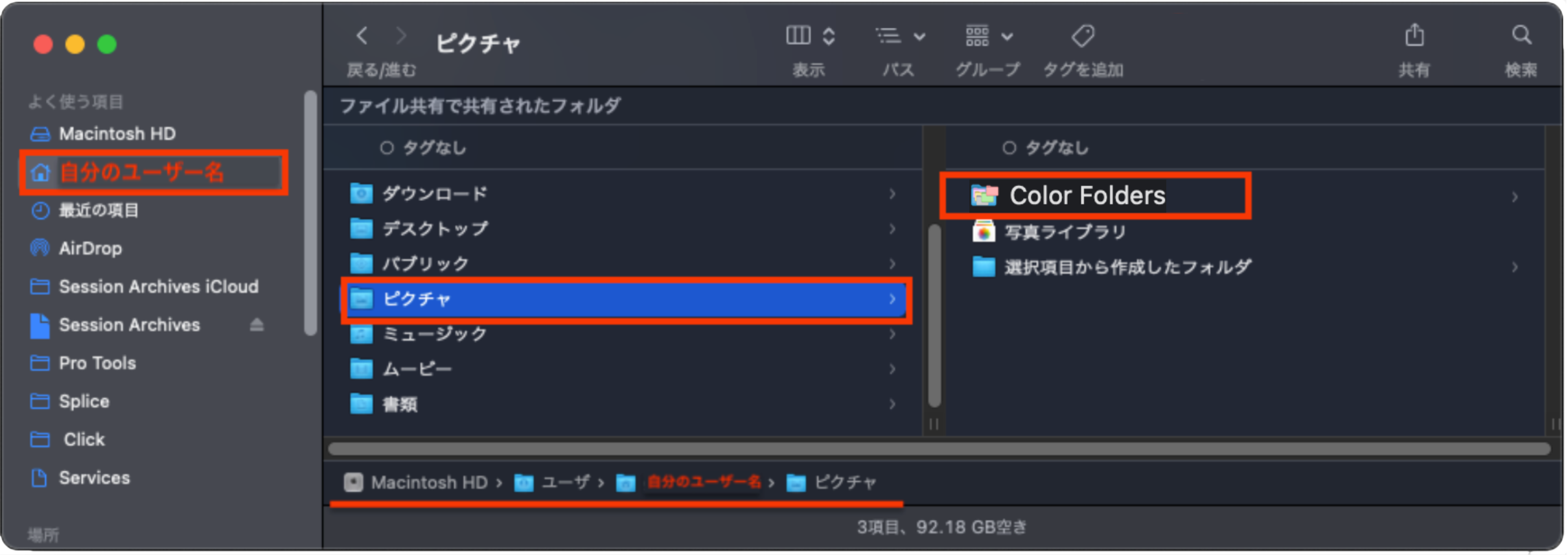
Color Folders folder placed inside the user Pictures folder
2

Choose Japanese or English.

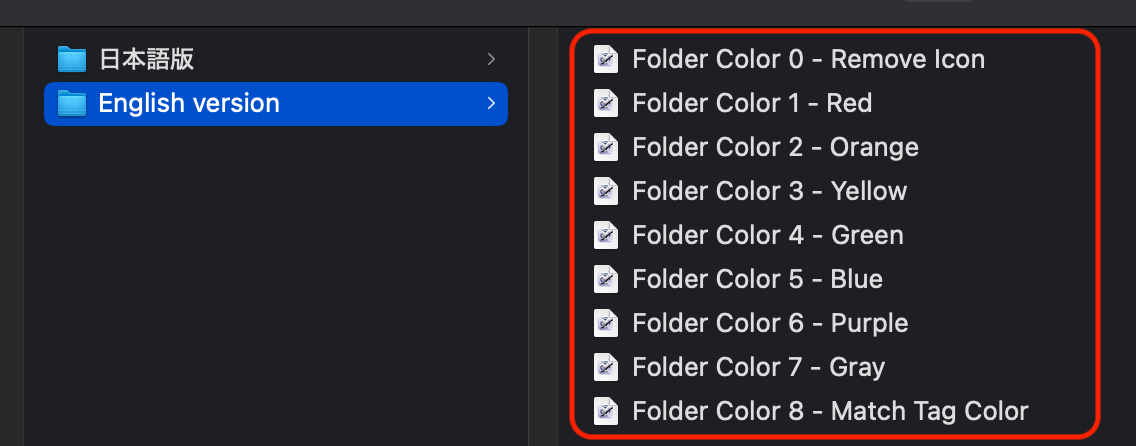
The Quick Actions are provided in Japanese and English versions. They work the same way; only the names shown in Finder are different. Install whichever version you prefer.

3

Double-click the Quick Actions.

Double-click the Quick Actions to install them.
There are quite a few, but double-click them all.

Example of double-clicking Quick Action files to install them
4

Right-click a folder and choose a color.

In Finder, select the folder you want to color, then right-click or Control-click it.
Choose the folder color you want from Quick Actions.